 Wave, the store in real time
Welcome, plan and run it all in one place.
Wave lets you organize appointments and waiting lists, and turn your store's activity into clear indicators: occupancy, clients served, average wait, and more.
Built with store managers, by Digital Haute Couture
4 clients waiting
The whole store, at a glance.
Appointments, waiting list, breaks, team: everything you need to run the day, without binders or spreadsheets.
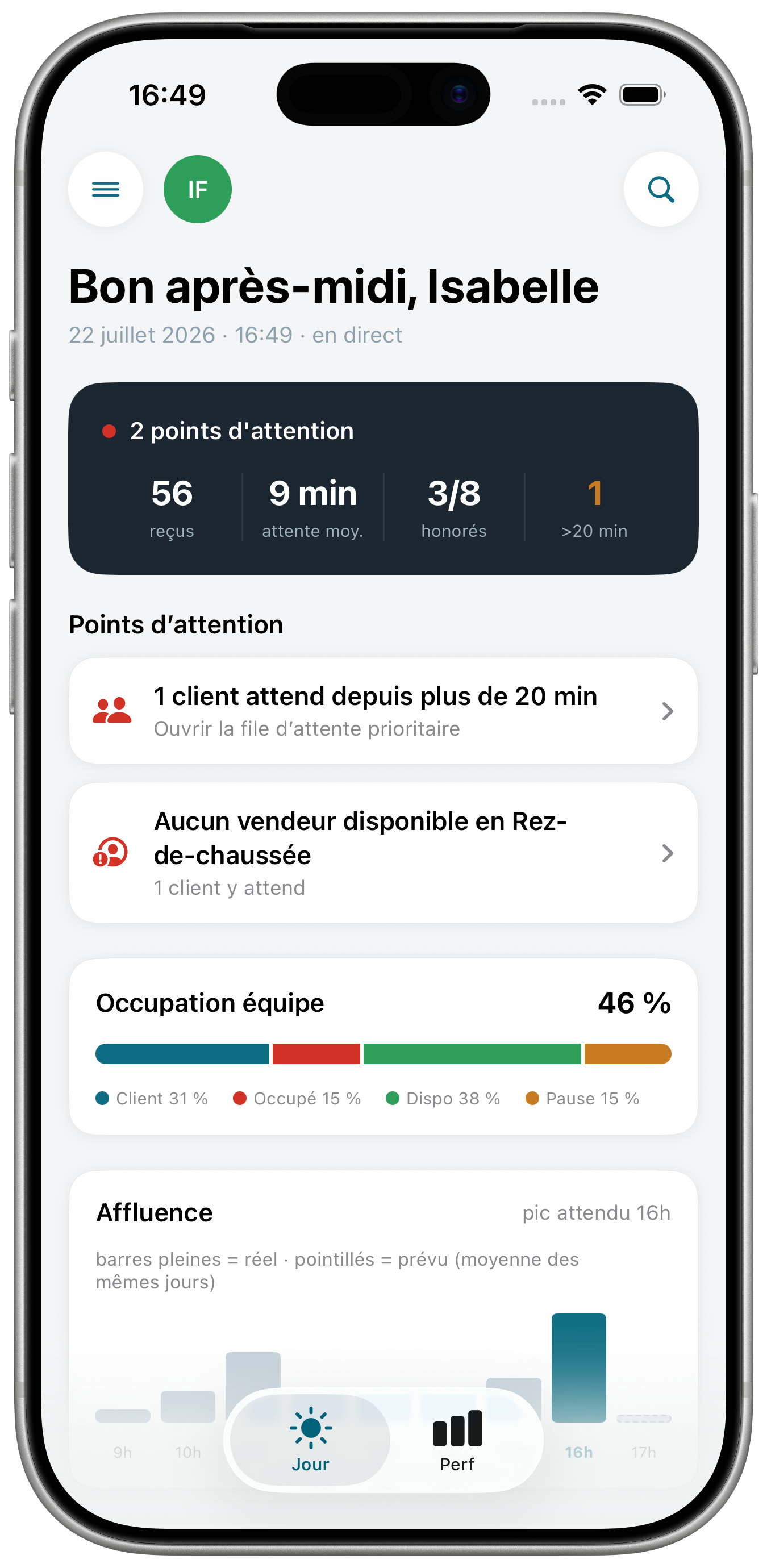
Cockpit
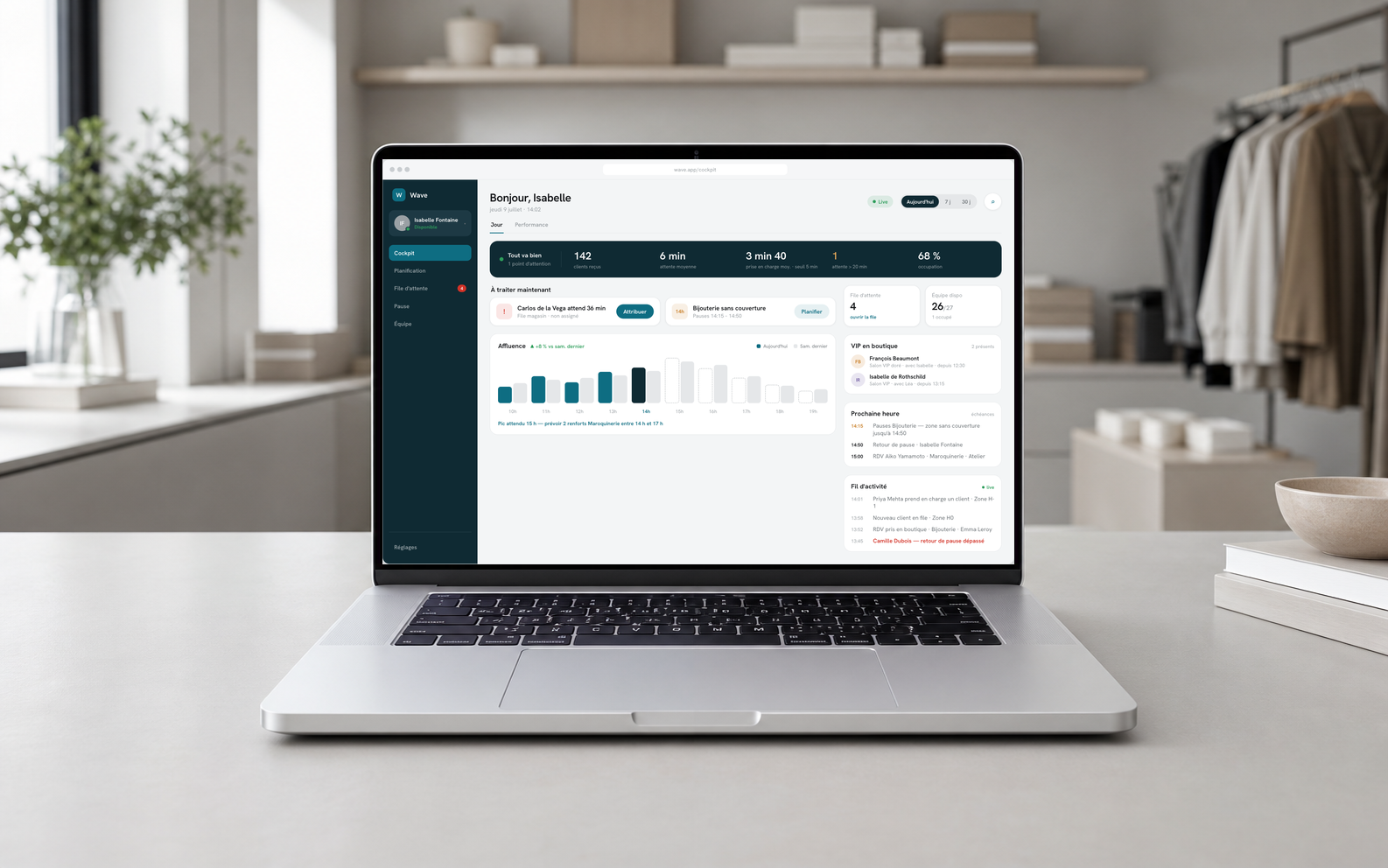
The whole day on a single screen: appointments, waiting list and staff on the floor, refreshed continuously.
- Live indicators: occupancy, clients served, average wait.
- To handle now, the current priorities surface on their own.
- Hourly traffic, peaks to anticipate before the rush.
Appointments
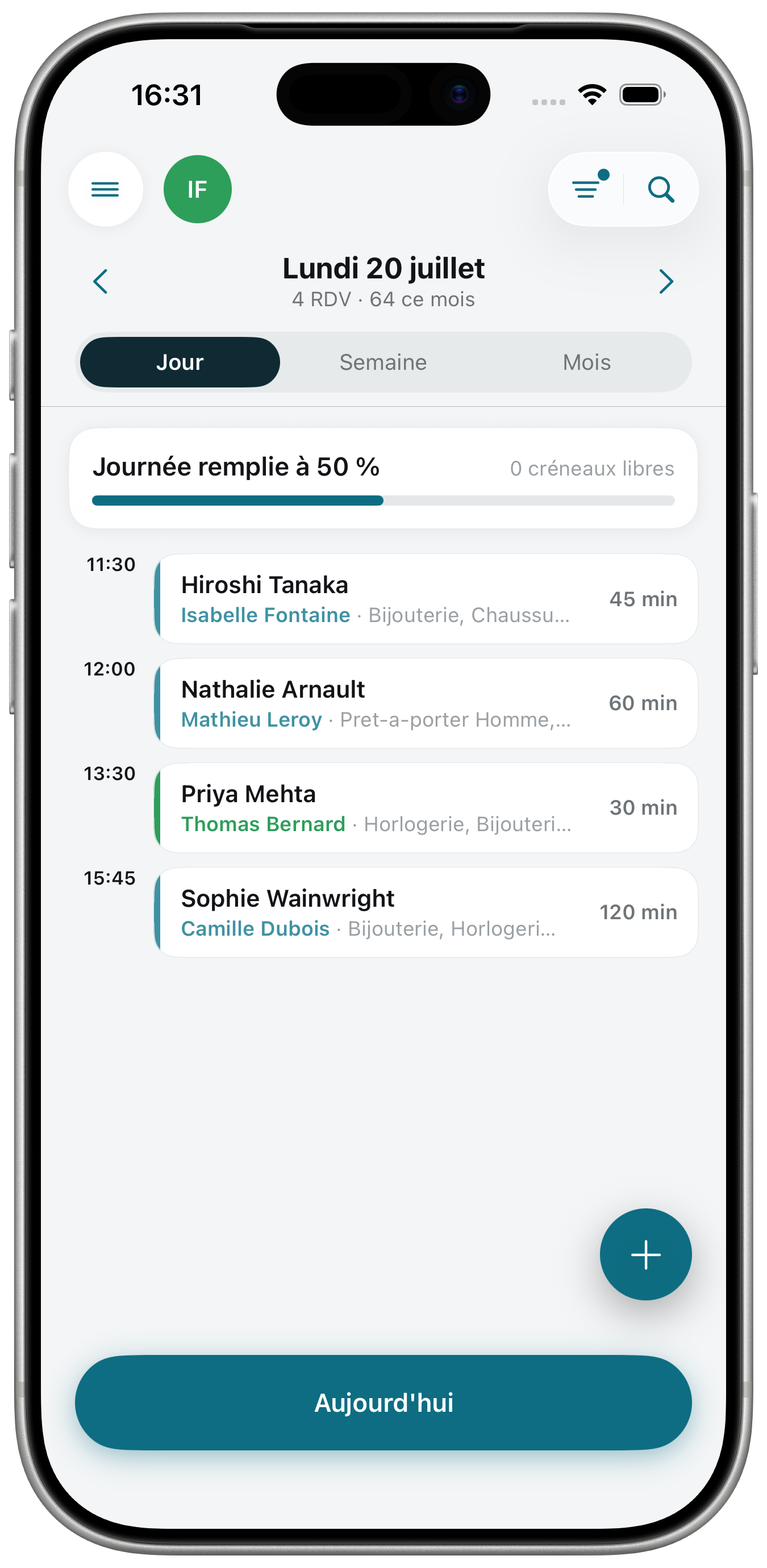
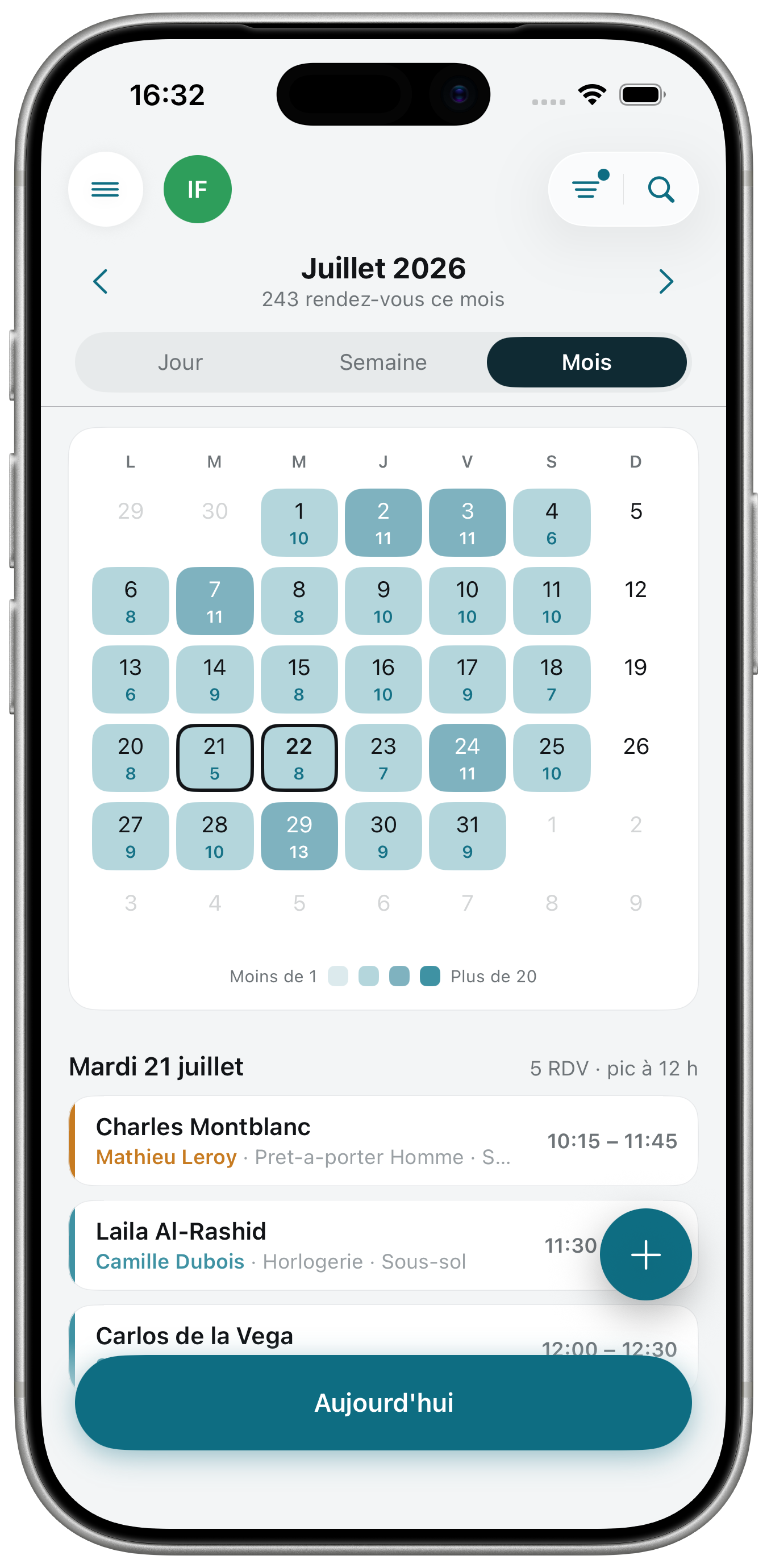
At a glance on the agenda, you know where the week's peaks will be, and you can staff up at the right time, in the right place.
- Density at a glance, the busiest days jump out immediately.
- Anticipate staffing, adjust who's on the floor before the peak hits, not during.
- Everyone at their own level: associates see their appointments, managers see the whole store, a department, or one associate.
Waiting list
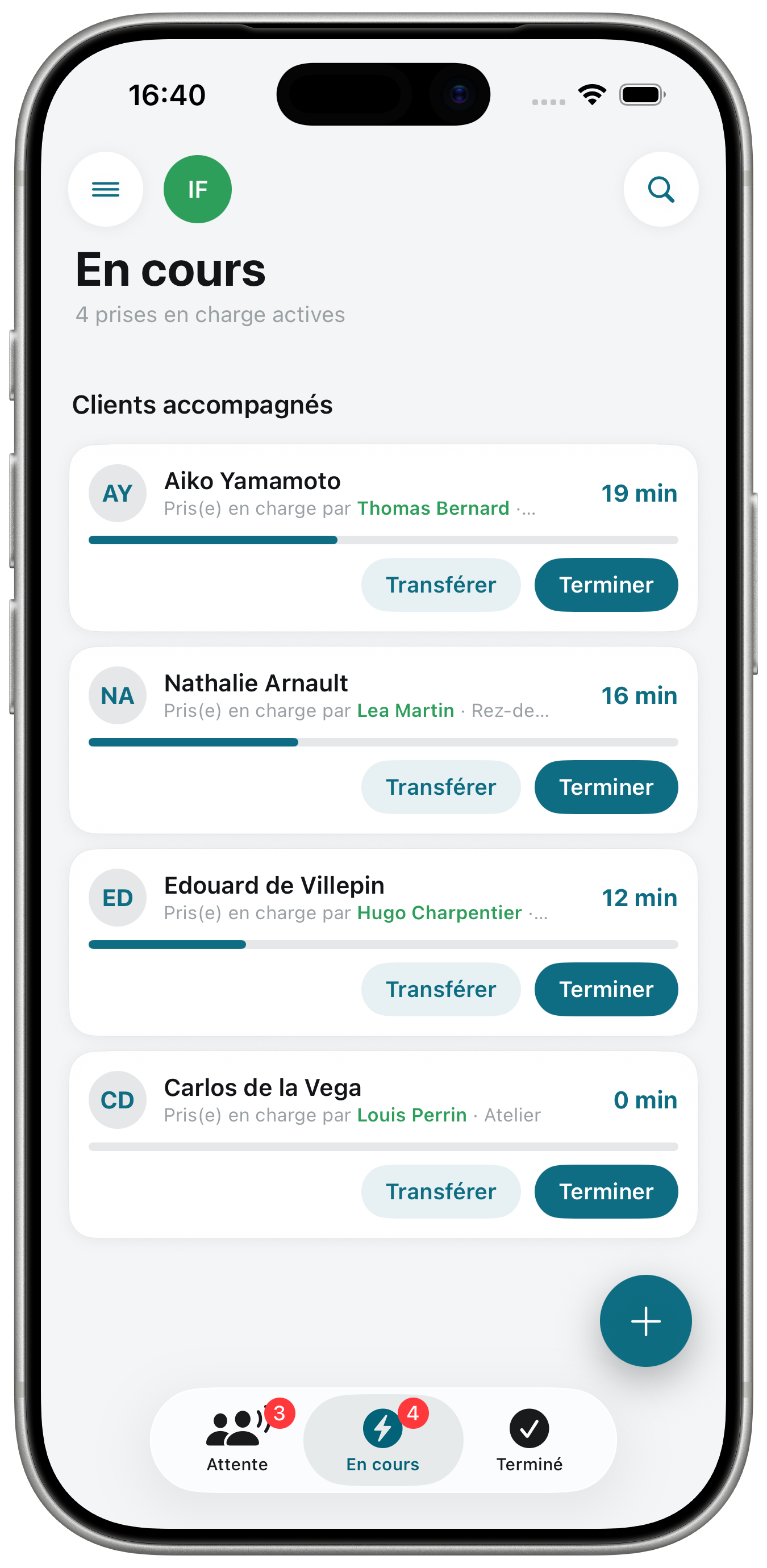
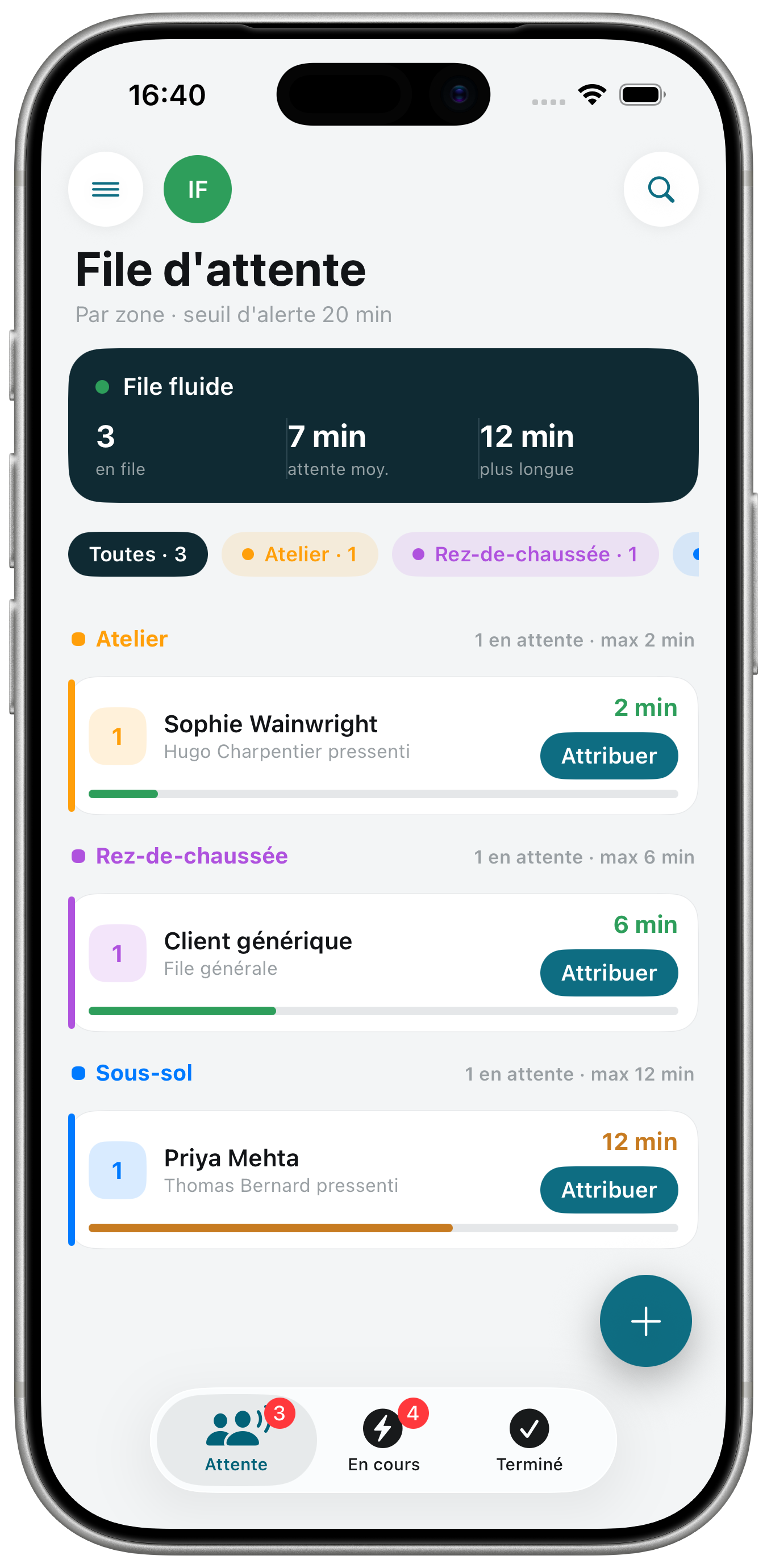
The rush hits, the queue stays under control.
- Automatic assignment as soon as an associate or manager is free, no client goes unanswered.
- Every store zone is tracked live, you always know who is waiting where.
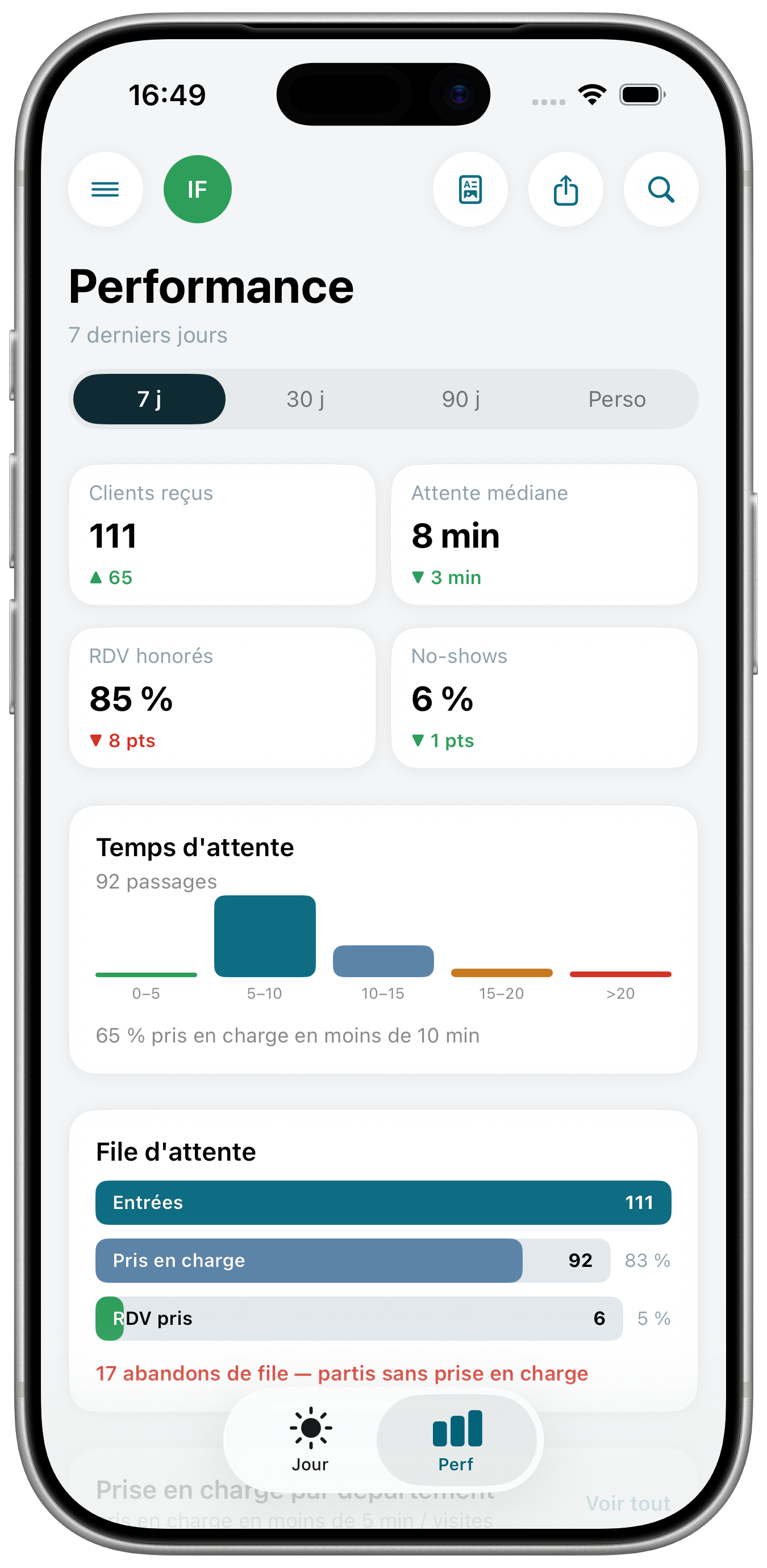
- Wait times and walk-aways measured, so you can adjust service throughout the day.
Breaks
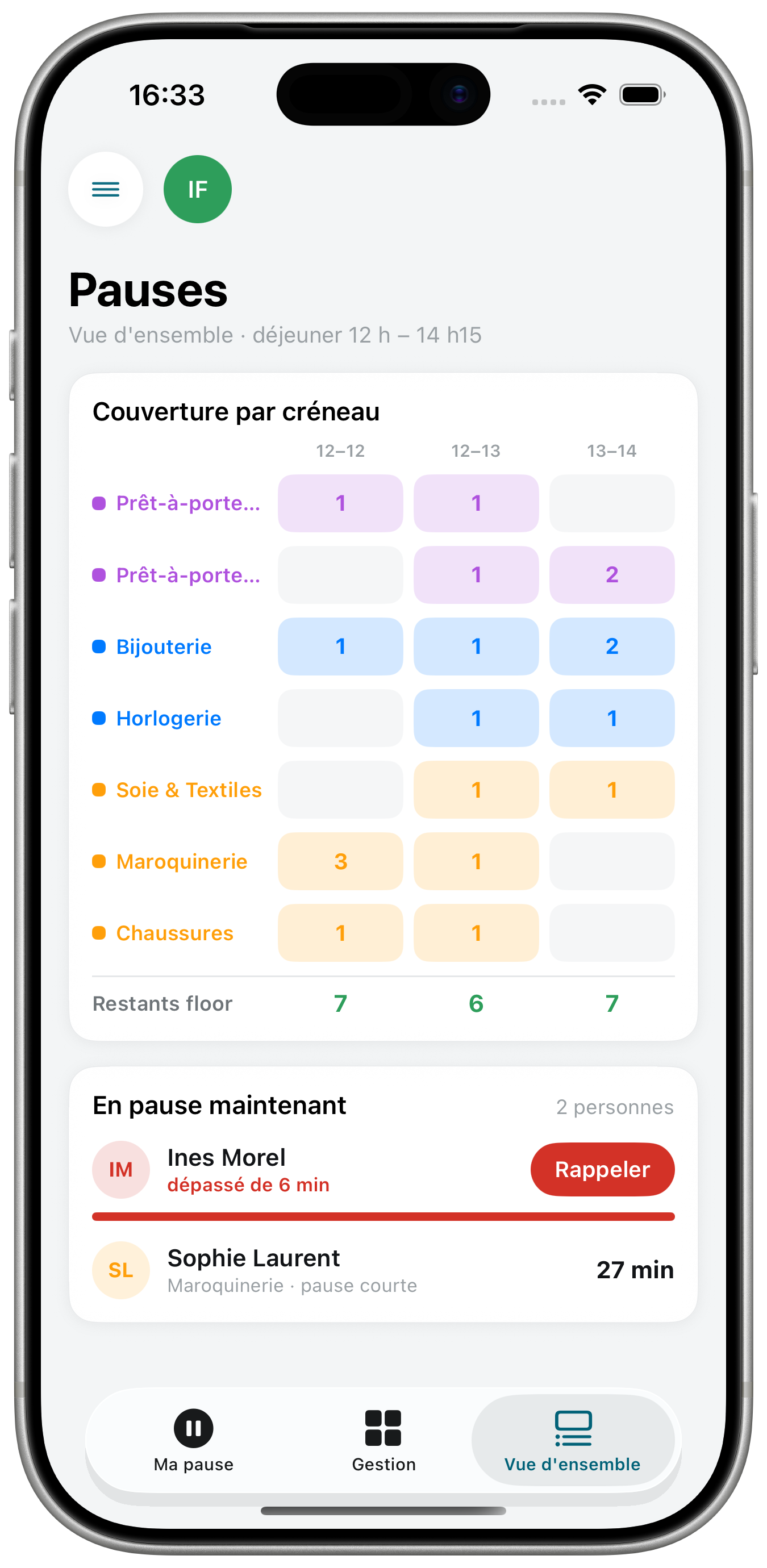
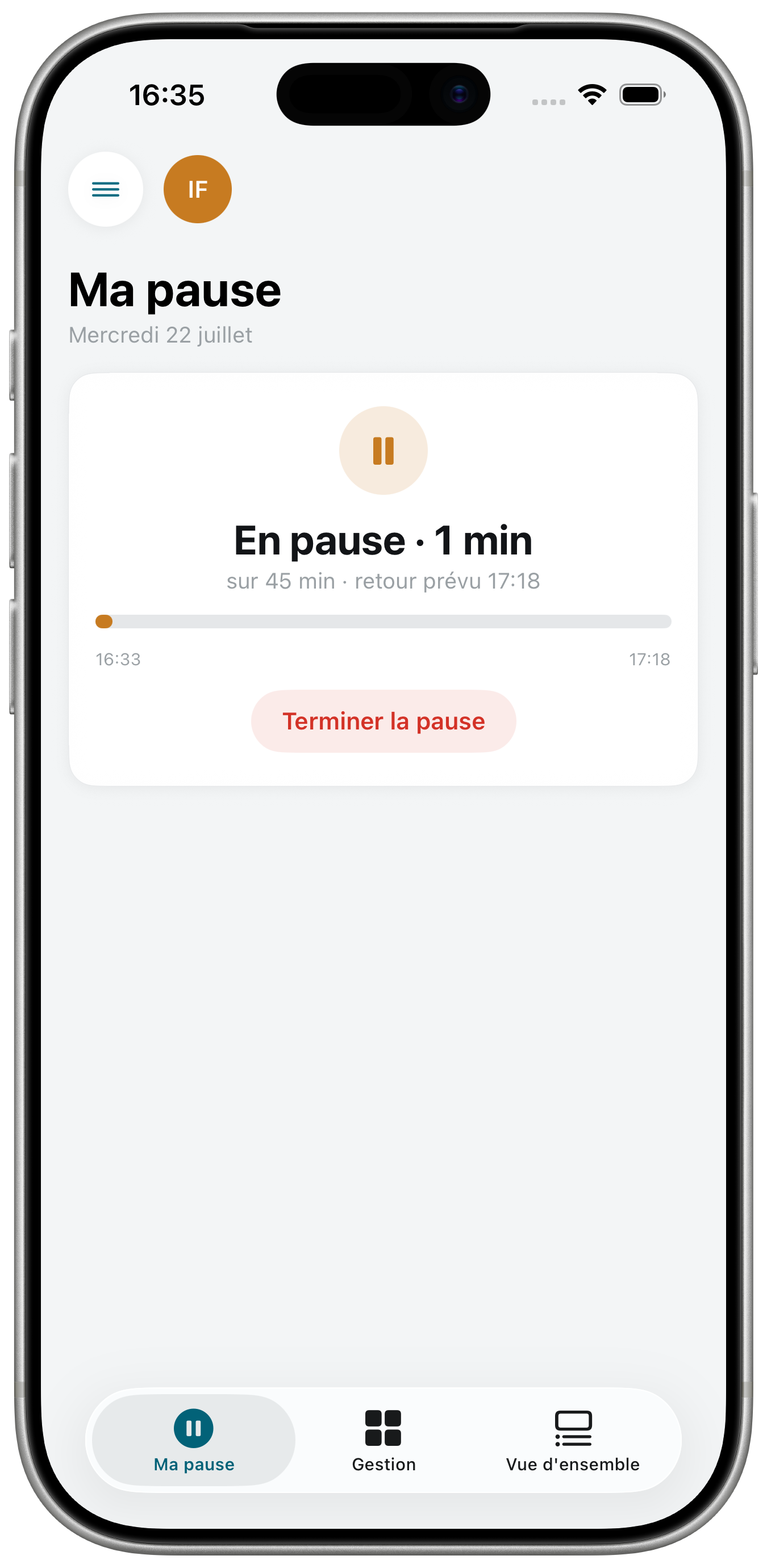
Breaks will never be a headache again.
- Coverage visible by department, you always know who is still on the floor.
- Automatic alert on coverage gaps, before it costs you a client.
- Returns tracked live, overruns flag themselves.
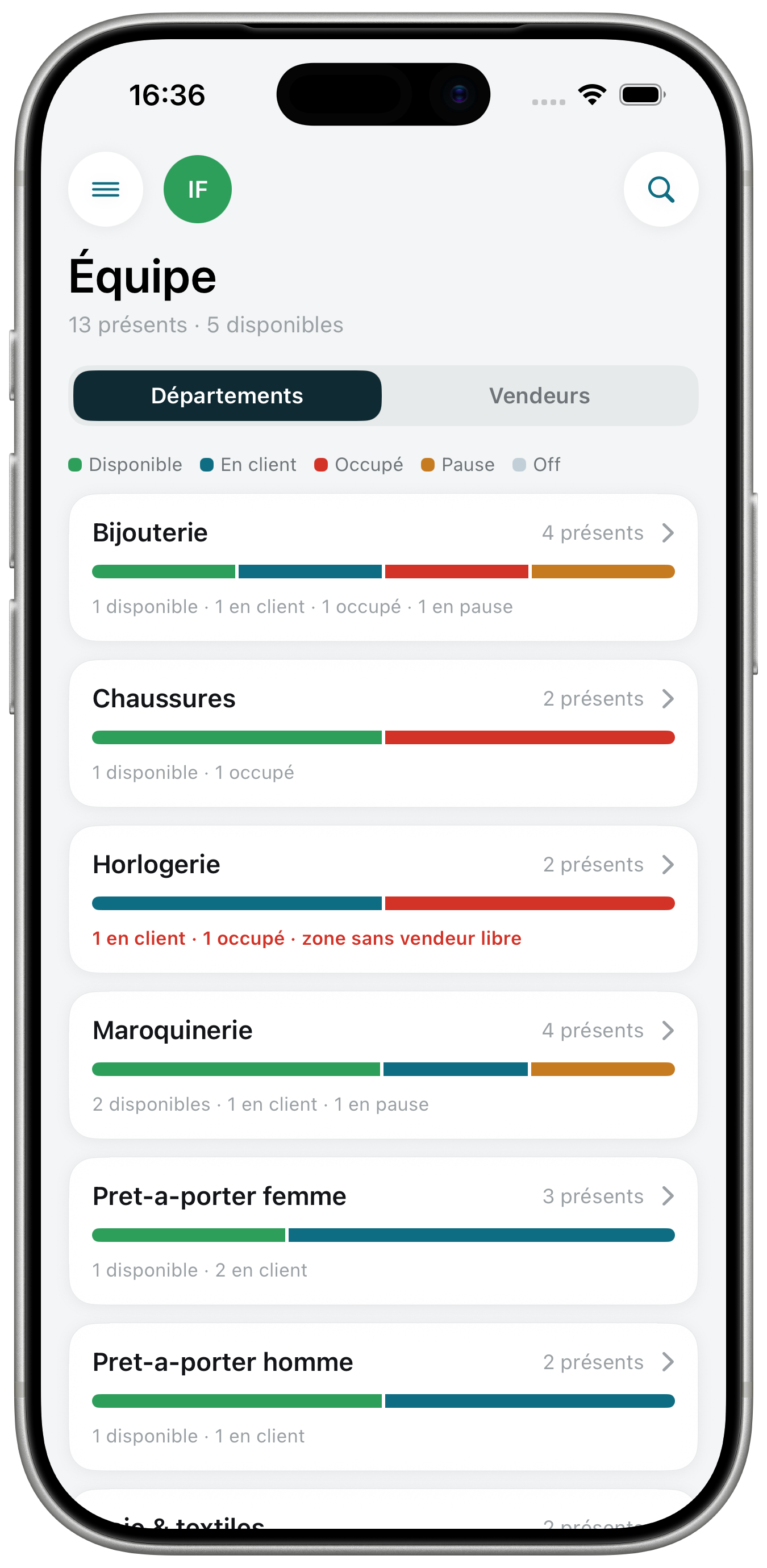
Team
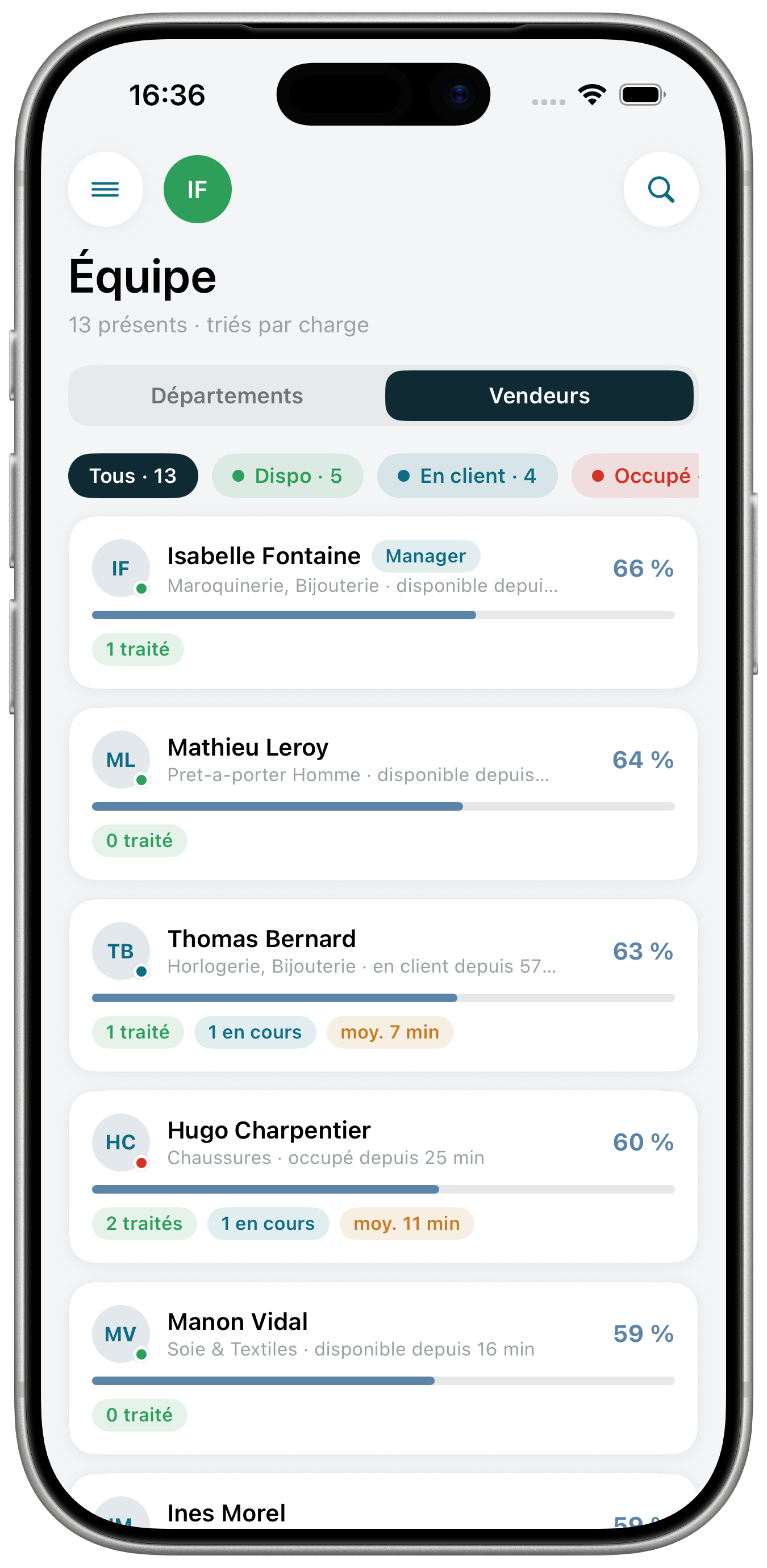
Staff on the floor, visible at a glance, without walking the store.
- Clear status for everyone: available, with a client, on a break, off.
- By department or by associate, to place the team where it is needed.
- Instant update for the whole team, no one needs to tell anyone.
The whole day on a single screen: appointments, waiting list and staff on the floor, refreshed continuously.
- Live indicators: occupancy, clients served, average wait.
- To handle now, the current priorities surface on their own.
- Hourly traffic, peaks to anticipate before the rush.
At a glance on the agenda, you know where the week's peaks will be, and you can staff up at the right time, in the right place.
- Density at a glance, the busiest days jump out immediately.
- Anticipate staffing, adjust who's on the floor before the peak hits, not during.
- Everyone at their own level: associates see their appointments, managers see the whole store, a department, or one associate.
The rush hits, the queue stays under control.
- Automatic assignment as soon as an associate or manager is free, no client goes unanswered.
- Every store zone is tracked live, you always know who is waiting where.
- Wait times and walk-aways measured, so you can adjust service throughout the day.
Breaks will never be a headache again.
- Coverage visible by department, you always know who is still on the floor.
- Automatic alert on coverage gaps, before it costs you a client.
- Returns tracked live, overruns flag themselves.
Staff on the floor, visible at a glance, without walking the store.
- Clear status for everyone: available, with a client, on a break, off.
- By department or by associate, to place the team where it is needed.
- Instant update for the whole team, no one needs to tell anyone.
The whole app, on the web too.
Appointments, waiting list, breaks, team: Wave also runs as a web app, so you can run things from the back office or the office, on a big screen.
Store-ready in four steps.
The app is finished. All that remains is tuning it to your store.
Configure
Departments, zones and store hours, entered once and for all.
Invite the team
Every associate installs Wave and finds their profile and schedule.
Open the day
Appointments, breaks and the day’s staff fall into place from the morning.
Run it live
Queue, statuses and performance live in real time, from the floor to the office.
Your data, under your control.
Wave is built for discretion: each role sees its own scope, and nothing leaves your store.
Each role has its scope
An associate never sees the store's figures, a manager only sees their own store. Everyone accesses the screens of their daily work, nothing more.
No exploitation of your data
No resale, no advertising, no hidden use: your information only serves to run your store.
GDPR and European hosting
Your data is stored in Europe, in compliance with GDPR. Export and deletion on request, at any time.
Picture it.
See how Wave fits into the daily life of a store.



What we get asked.
How long does it take to get started?+
Half a day is usually enough: configure departments and zones, invite the team, and the store opens the next day with Wave.
Do we need specific hardware?+
No. Wave runs on the team’s iPhones. An iPad at the counter can complement the setup, but nothing is required.
Does Wave replace our POS or HR tools?+
No, Wave handles the floor: the queue, the day’s schedule, breaks and statuses. It complements your existing tools without replacing them.
How is our clients’ data handled?+
It belongs to your store only: no resale, no advertising use, export and deletion available at any time.
How much does Wave cost?+
Pricing is quoted according to store size and team headcount. Request a demo: you leave with a clear proposal.